
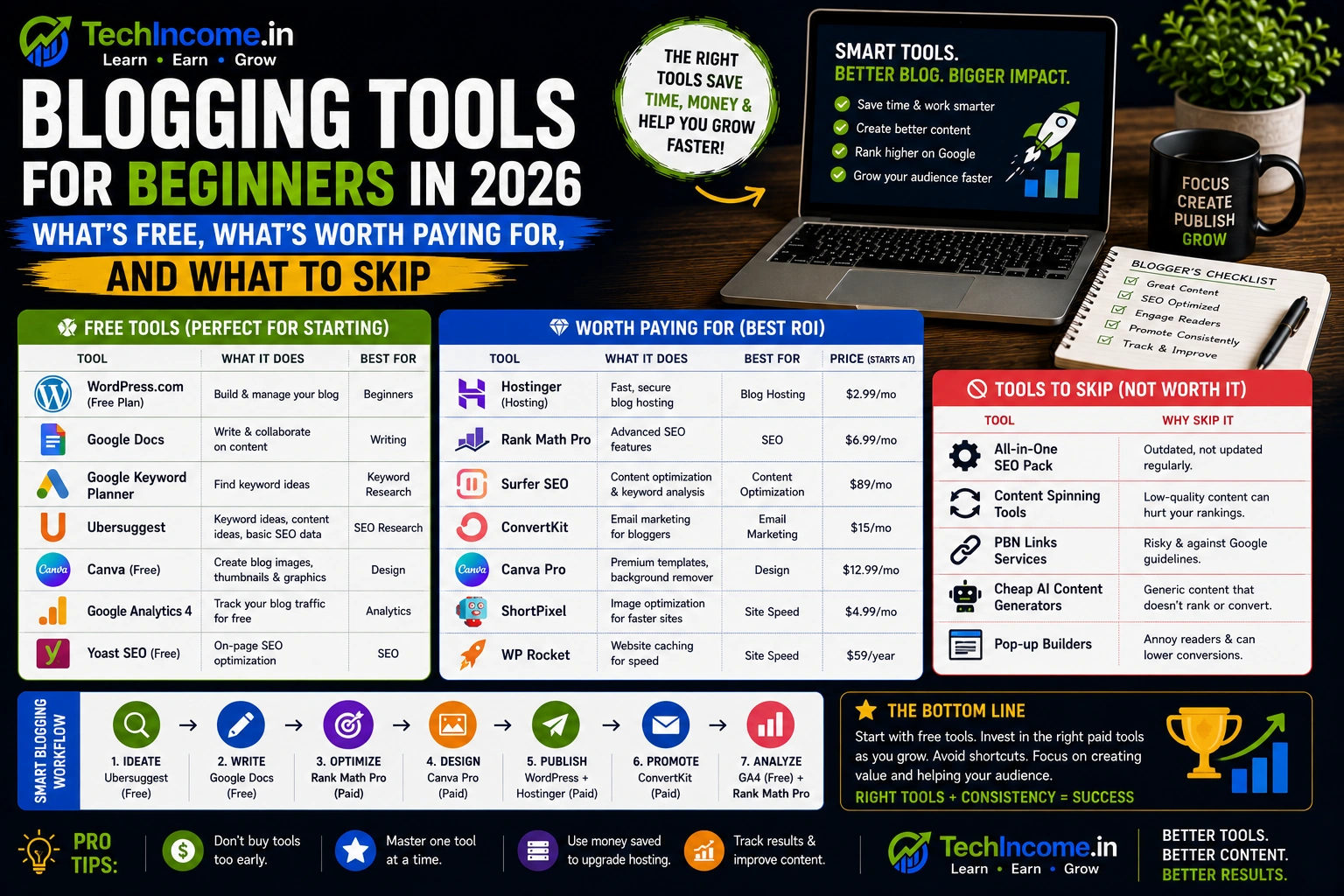
Tools Won’t Save a Blog That Doesn’t Have Content
There’s a version of “getting ready to blog” that involves signing up for every tool you’ve heard mentioned, watching hours of tutorials on each one, and never actually publishing anything. It feels productive. It isn’t.
Tools matter — but only as support for execution. A beginner with Google Docs, Rank Math, and Google Search Console who publishes three posts a week will consistently outperform a beginner with a full paid tool stack who publishes one post a month. The tools don’t write the posts. You do.
This guide tells you what you actually need to start, what genuinely helps as you grow, and what you can skip entirely for now — so you stop overthinking the stack and start building the thing.
What You Actually Need Tools For
Before going tool by tool, it helps to map the categories. As a blogger, the areas where tools add real value are:
- Writing and drafting content
- Keyword research and topic planning
- On-page SEO optimization
- Website setup and hosting
- Analytics and performance tracking
- Image creation for posts
That’s it. Everything else — social media scheduling tools, email marketing platforms, advanced analytics suites, PR outreach software — can wait until your blog has the traffic to justify them.
Writing and Content Creation Tools
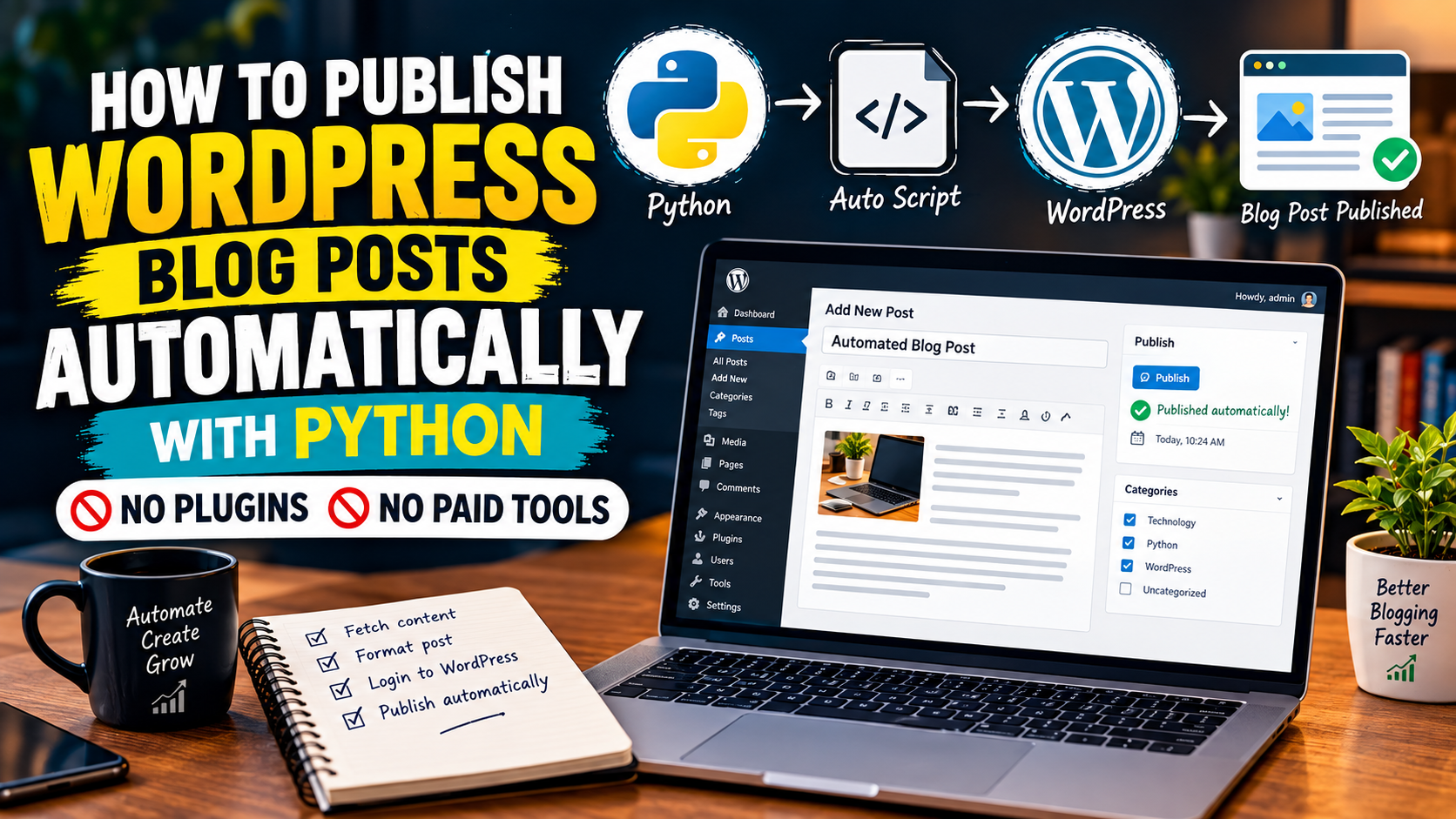
What you need: Google Docs (free)
Google Docs is where you should write. It auto-saves, works across devices, allows easy sharing for feedback, and has no learning curve. You don’t need a dedicated writing app, a specialized distraction-free editor, or a premium word processor.
The writing tool is not the variable that determines post quality. Your thinking, structure, and depth are.
AI tools — useful with the right approach
ChatGPT or any similar AI tool can be genuinely helpful for a few specific tasks: generating an initial outline, brainstorming related subtopics you might have missed, rephrasing a section that isn’t landing, and getting unstuck when you’re staring at a blank page.
What it shouldn’t do is write your posts for you. AI-generated content published without meaningful editing is generic by nature — it produces the average of what’s already been written, which means it adds nothing new to the conversation and signals to readers that there’s no real person behind the blog. Use it as a thinking partner, not a ghostwriter.
For a beginner, the free version of ChatGPT is enough for these use cases. There’s no reason to pay for AI writing tools in the early stages.
Verdict: Free tools are completely sufficient here. Don’t upgrade.
Keyword Research Tools
This is the one area where there’s a genuine meaningful difference between free and paid — and also the area where most beginners invest in paid tools too early.
Free options that actually work:
Google Keyword Planner — gives you search volume data and keyword suggestions. The data is less precise than paid tools (volumes are shown in ranges rather than exact numbers), but it’s directionally accurate enough for early-stage keyword research.
Google Search itself — the autocomplete suggestions and “People Also Ask” section are underrated research tools. When you type a query and see what Google suggests completing it with, you’re seeing what real people are actually searching for. These are keyword opportunities hiding in plain sight.
Ahrefs Webmaster Tools (free) — if you verify your site with Ahrefs, you get access to some keyword data for your own site without paying for a full subscription. Useful for seeing which keywords you’re already ranking for.
When to upgrade to Ahrefs (paid):
Ahrefs becomes genuinely useful — not just nice to have — when you’re trying to scale. Specifically, once you have 30+ posts published and you’re ready to go beyond obvious low-competition keywords, Ahrefs gives you:
- Accurate keyword difficulty scores so you can filter realistically
- Competitor analysis — seeing exactly which keywords other sites in your niche are ranking for
- Content gap analysis — finding keywords your competitors rank for that you don’t cover yet
- Backlink data to understand what’s driving rankings in your space
Before you have 30 posts, you don’t have enough content to use this data strategically. Start free, validate the habit, then upgrade when you’ve outgrown what free tools can tell you.
Verdict: Start free. Upgrade to Ahrefs when you hit 30+ posts and are actively scaling.
SEO Optimization Tools
What you need: Rank Math (free)
Rank Math is a WordPress plugin that guides you through on-page SEO for every post you publish. The free version covers everything a beginner needs:
- Focus keyword tracking with a checklist of what’s missing
- Meta title and description fields
- Sitemap generation and submission
- Schema markup (Article and FAQ schemas)
- Basic analytics integration
Install it, run the setup wizard, and use it as your pre-publish checklist. It’ll tell you if your keyword is missing from the title, if your meta description is too long, if you’re missing alt text on images — the kind of things that are easy to overlook but consistently hurt your rankings when ignored.
Do you need to upgrade Rank Math?
The free version is enough for at least the first year of blogging. The paid version adds features like advanced schema types, keyword rank tracking within the plugin, and WooCommerce SEO — none of which are relevant until you’re well past the beginner stage.
Verdict: Use the free version. There’s no reason to upgrade early.
Website Setup and Hosting
This is the one category where spending money from the start is worth it — and where going too cheap actually costs you.
Platform: WordPress
WordPress.org (self-hosted) is the standard for serious bloggers. It gives you full control over your site, full access to plugins and themes, and no platform restrictions on how you monetize. The alternative — free hosted platforms like Blogger or WordPress.com’s free tier — limits you in ways that will matter as soon as your blog starts growing.
Theme: Kadence (free version to start)
Kadence is lightweight, fast, mobile-responsive, and genuinely beginner-friendly. The free version is more than enough to launch and run a professional-looking blog. You can upgrade to Kadence Pro later if you need advanced header and footer customization or a full starter template library — but the free version won’t hold you back.
Hosting: this is where you should invest
Shared hosting from a reputable provider is all you need at the start. Hostinger and Bluehost are both reliable options for beginner bloggers — affordable plans, decent support, and performance that’s more than adequate for a new site.
What you’re paying for here is site speed and reliability. A slow or frequently-down site hurts your Google rankings and your reader experience. Don’t cheap out on hosting to save ₹500 a month — the performance trade-off isn’t worth it.
Verdict: WordPress is free. Kadence is free. Invest in hosting — it’s worth it from day one.
Analytics and Tracking Tools
What you need: Google Search Console and Google Analytics (both free)
These two tools are non-negotiable and completely free. Set them up before you publish your first post, not after.
Google Search Console tells you:
- Which of your posts Google has indexed
- Which keywords your pages are showing up for in search results
- How many clicks each post is getting from organic search
- Which posts are ranking in positions 11 to 30 — your best candidates for content improvement
Google Analytics tells you:
- Total traffic to your site and where it’s coming from
- How long people are staying on each page
- Which posts are getting the most traffic
- Bounce rate by page — a signal of whether your content is satisfying what readers came for
Together, these give you everything you need to understand your blog’s performance for at least the first year. There are no paid analytics tools that provide meaningfully better insight at the beginner stage.
One caveat: don’t check these obsessively. In the first three months, your traffic numbers will be small and checking daily will only discourage you. Review Search Console weekly and Analytics every two weeks. Look for trends over time, not day-to-day fluctuations.
Verdict: Free, essential, set up immediately.
Image and Design Tools
What you need: Canva (free)
Canva’s free plan is enough to create blog post featured images, social media graphics, and any visual elements your posts need. The templates are solid, the interface is intuitive, and the output looks professional without requiring any design skills.
One practical note: compress every image before you upload it to your blog. Full-resolution images from Canva or your phone can easily be 2 to 5MB, which significantly slows your page load time. Use a free tool like Squoosh or TinyPNG to get images under 100KB before they go into WordPress.
Verdict: Free Canva plus free compression tools — no need to pay for anything here.
The Complete Beginner Tool Stack
Here’s everything you need to launch and grow your blog to initial traction, with the cost beside each:
Writing: Google Docs — free
AI assist: ChatGPT free tier — free
Keyword research: Google Keyword Planner + Google Search — free
SEO optimization: Rank Math — free
Website platform: WordPress.org — free
Theme: Kadence free version — free
Hosting: Hostinger or Bluehost — paid (approximately ₹150 to ₹300/month on annual plans)
Analytics: Google Search Console + Google Analytics — free
Design: Canva free tier — free
Image compression: Squoosh or TinyPNG — free
Total monthly cost to run a serious blog as a beginner: roughly ₹150 to ₹300 for hosting. That’s it. Everything else is free.
When to Upgrade — The Right Thresholds
Upgrading tools before you’ve hit these thresholds is premature spending. After you’ve hit them, upgrading will actually produce a return.
Upgrade to Ahrefs when:
- You have 30+ published posts
- Free keyword tools are no longer giving you enough data to find new targets
- You’re ready to do competitor analysis and content gap research
- You’re scaling from “building the base” to “aggressively growing traffic”
Upgrade Rank Math when:
- You need advanced schema types (Product, Review, Course, etc.)
- You want keyword rank tracking built into your WordPress dashboard
- You’re running an e-commerce or more complex site alongside your blog
Upgrade Canva when:
- You’re regularly creating visual content at volume and hitting limits on the free tier
- You need access to specific premium templates or brand kit features
For most bloggers in the first 6 to 12 months, none of these upgrades are necessary. The constraint on growth isn’t tools — it’s content quality, keyword targeting, and publishing consistency.
The Mistake That Sets Beginners Back Months
Buying Ahrefs, Semrush, or similar tools before you have 20 posts published is a waste of money. Not because the tools aren’t good — they are — but because you don’t yet have the content base to act meaningfully on the data they provide.
Ahrefs tells you what competitors are ranking for, where content gaps exist, and which keywords are worth pursuing next. None of that is actionable when you have 8 posts. You need enough content to build topical clusters, analyze what’s working and what isn’t, and make strategic decisions based on patterns — and 8 posts don’t produce patterns.
The sequence that works: build the content base with free tools, establish your workflow, hit 30 posts, then invest in tools that help you scale what’s already working.
Tools Support Execution — They Don’t Replace It
This is worth stating clearly because the blogging tool industry is good at making you feel like the right software is what’s standing between you and success.
The blogs that grow aren’t the ones with the most tools. They’re the ones where the person running them published consistently, targeted realistic keywords, wrote content that genuinely answered what people were searching for, and built internal links across their posts. All of that is achievable with free tools and a clear strategy.
Tools speed things up once you know what you’re doing. They don’t clarify strategy when you don’t. A beginner with a clear content plan and Google Docs will outperform a beginner with five premium tools and no publishing discipline every single time.
FAQs
-
Do I need to pay for any tools to start a blog?
Only hosting. Everything else — your writing tool, SEO plugin, keyword research tools, analytics, and design tool — has a free version that’s completely adequate for a new blog. Budget roughly ₹150 to ₹300 per month for shared hosting and you’re covered.
-
Is Rank Math better than Yoast SEO for beginners?
Rank Math’s free version gives you more features than Yoast’s free version — including schema markup, multiple focus keywords, and a more detailed optimization checklist. Both are solid tools, but Rank Math offers better value on the free tier, which is why it’s the more common recommendation for beginners.
-
When should I start using Google Search Console?
Immediately — before you publish your first post. Set it up during your WordPress configuration, submit your sitemap through it, and let it start collecting data from day one. The earlier you set it up, the sooner you have useful data to act on.
-
Is Ahrefs worth it for a beginner blogger?
Not in the first few months. The data Ahrefs provides is genuinely valuable, but you need a sufficient content base to use it strategically. Use free keyword tools until you have 25 to 30 published posts — at that point, the investment in Ahrefs starts returning real value through competitor analysis and content gap identification.
-
Can I use AI tools to write my blog posts?
You can use AI tools to assist — outlining, brainstorming, getting unstuck, rephrasing. Publishing unedited AI output as your actual blog posts is a different thing. AI content tends to be generic and lacks the specific perspective and examples that make content rank and build reader trust. Use AI to support your writing process, not replace it.
-
Do I need a paid theme or will the free Kadence theme work?
The free Kadence theme is genuinely good — lightweight, fast, mobile-responsive, and customizable enough for a professional-looking blog. You don’t need to upgrade to Kadence Pro until you want specific advanced layout features that aren’t available in the free version. Most bloggers go well past their first year on the free theme without hitting any real limitations.
-
What’s the most important tool investment for a new blogger?
Hosting. It’s the one area where going too cheap has a direct, measurable impact on your site’s speed and reliability — both of which affect your Google rankings and reader experience. Everything else you need to start is free; don’t compromise on the one thing that has a real performance impact.