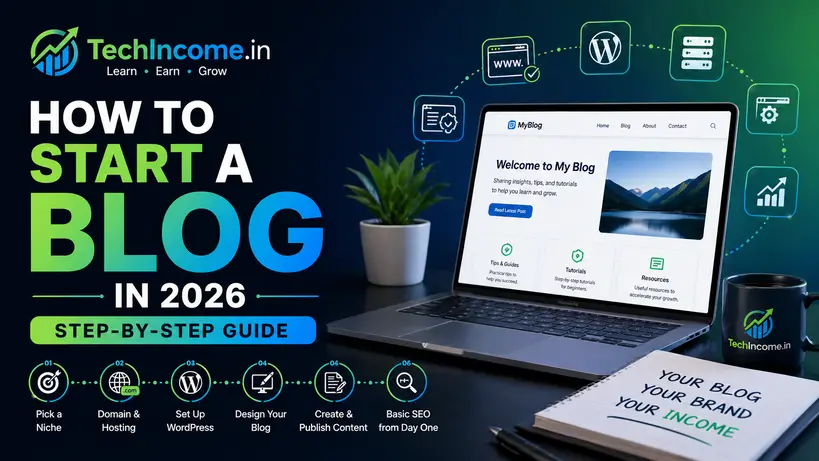
Starting a blog in 2026 is straightforward technically, but success depends on how you approach it. The barrier to entry is low; the standard for quality is high. This guide focuses on building a blog that can grow into traffic and income, not just a published website.
The Road Map
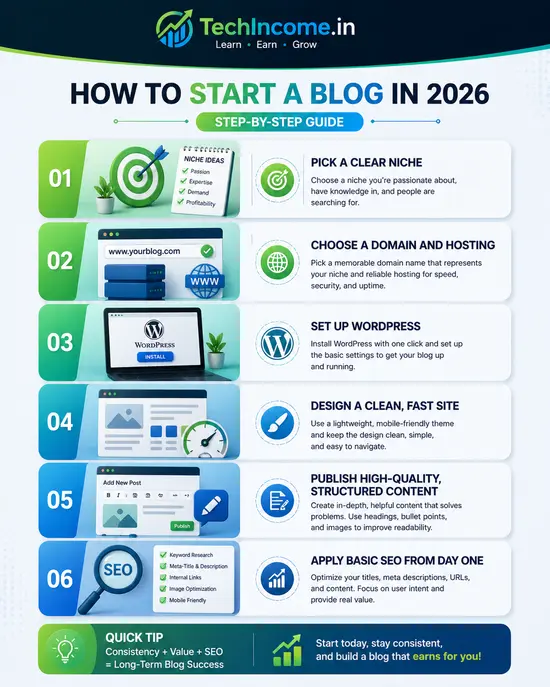
You need to:
- Pick a clear niche
- Choose a domain and hosting
- Set up WordPress
- Design a clean, fast site
- Publish high-quality, structured content
- Apply basic SEO from day one
Step 1: Choose a Niche (Do Not Skip This)
Your niche determines:
- What you write
- Who your audience is
- How you make money
Avoid broad topics. Go specific.
Weak:
- “Technology”
- “Health”
Stronger:
- “Online income for beginners in India”
- “Budget fitness for working professionals”
Test your niche:
- Are people searching for it?
- Can you write 30+ articles on it?
- Does it have monetization potential?
IMPORTANT:
When you choose your niche you must figure out the keywords you can to target and the content posts you are going to make, alteast figure out first 15-20 post details before taking any actions on any other factors of blogging.
Step 2: Pick a Domain Name
Your domain is your brand.
Guidelines:
- Keep it short and simple
- Avoid numbers and hyphens
- Prefer
.comor.in(for India audience)
Example:
- techincome.in (clear, niche-focused)
While choosing the techincome.in domain name, I clearly figured out that with my experience in this online earning niche I can easily write different blog posts and maintain category wise full site. This way I know that I am never going to be out of ideas for this website.
I have a lot to share.
Check out my Domain and Hosting Buying guide for more details on this.
Step 3: Buy Hosting (Foundation of Your Site)
Choose reliable hosting. Slow sites fail both SEO and user experience.
Popular options:
- Hostinger
- Bluehost
What to check:
- Speed
- Uptime
- Support
- Easy WordPress install
If you are a beginner I suggest you go with the shared hosting plan, when your traffic increases you can move to VPS
Step 4: Install WordPress
Use:
- WordPress
Most hosting providers offer 1-click install.
After installation:
- Set site title
- Set permalink to:
Post Name(important for SEO)
Step 5: Choose a Clean Theme
Design should be:
- Fast
- Minimal
- Mobile-friendly
Avoid heavy, flashy themes.
Use something like:
- Kadence, I have used if for this website
Focus on readability, not decoration.
I have not paid anything to use this theme, I am using a totally free version and it is alright for beginners.
Step 6: Install Essential Plugins
Keep plugins minimal.
Must-have:
- Rank Math (SEO)
- Caching plugin (for speed)
- Security plugin (basic protection)
Do not overload your site with plugins.
Step 7: Create Core Pages (Required for Trust)
Before publishing posts, create:
- About page
- Contact page
- Privacy Policy
- Disclaimer
These are important for:
- User trust
- Approval from Google AdSense
Step 8: Keyword Research (Start Small)
Do not target highly competitive keywords initially.
Use tools like:
- Ahrefs
- Google Keyword Planner
Strategy:
- Target long-tail keywords
- Example:
- Instead of “blogging”
- Use “how to start a blog in India with no money”
Step 9: Write Your First 10–15 Blog Posts
Before promoting, build a base.
Each post should:
- Solve a clear problem
- Be 1000–2000+ words
- Have proper structure (H1, H2, H3)
Example topics:
- How to start blogging with zero investment
- Best blogging niches in 2026
- How long does it take to make money blogging
Step 10: Follow a Proven Content Structure
Each post should include:
- Clear introduction
- Step-by-step explanation
- Examples
- Common mistakes
- Conclusion
Write for clarity, not complexity.
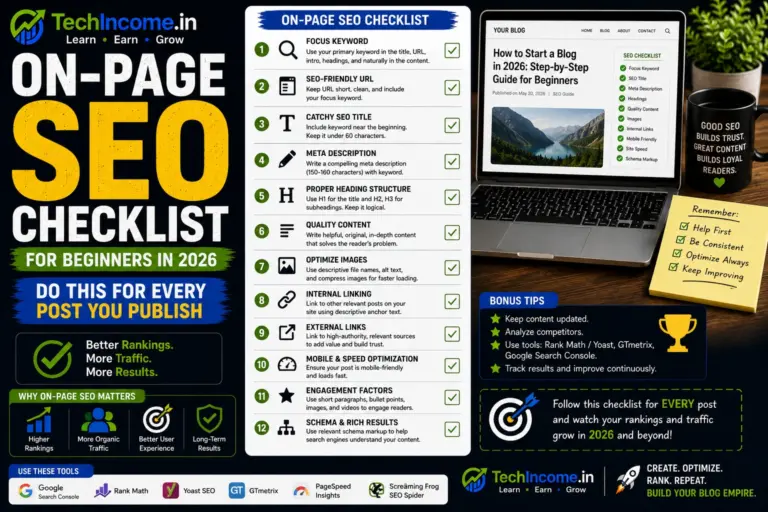
Step 11: Basic On-Page SEO
Using Rank Math:
- Add keyword in:
- Title
- First paragraph
- Headings (naturally)
- Write meta description
- Use internal links
Avoid keyword stuffing.
Step 12: Internal Linking (Build Structure Early)
Every post should link to:
- Related posts
- Your main pillar content
This:
- Improves SEO
- Increases time on site
- Helps Google understand your topic authority
Step 13: Stay Consistent (This Is the Real Work)
Publishing plan:
- 2–3 posts per week
- Target: 30 posts in 30–45 days
Consistency matters more than perfection.
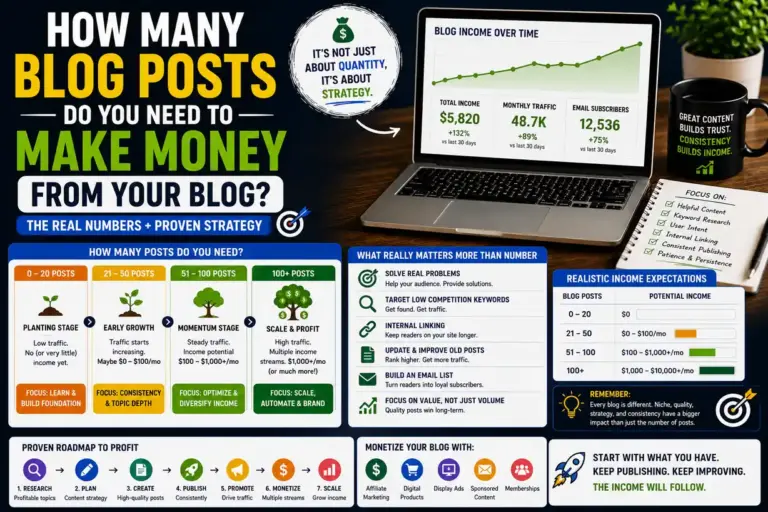
How Long Does It Take to See Results?
Realistic timeline:
- 0–3 months: Setup + content
- 3–6 months: Traffic starts
- 6–12 months: Income potential
Blogging is not immediate income. It compounds over time.
Common Mistakes to Avoid
- Choosing a random niche
- Writing without keyword research
- Publishing thin content
- Ignoring internal linking
- Expecting fast results
What Makes a Blog Successful in 2026
Success depends on:
- Niche clarity
- Content depth
- Consistency
- SEO fundamentals
- User-focused writing
Not tricks or shortcuts.
Simple Action Plan
If starting today:
- Pick a niche
- Buy domain + hosting
- Install WordPress
- Set up basic design
- Publish 30 high-quality posts
- Optimize using Rank Math
Final Verdict
Starting a blog in 2026 is easy.
Growing it is not.
Those who treat blogging as a structured, long-term process can build a scalable income source. Those who treat it casually usually stop within a few months.
Recommended next reads:
- https://techincome.in/best-blogging-niches-2026-low-competition/
- https://techincome.in/how-to-buy-domain-and-hosting/
- https://techincome.in/best-wordpress-setup-beginners-2026/
- https://techincome.in/how-to-use-rank-math-for-seo/
- https://techincome.in/write-seo-blog-posts-that-rank-2026/
- https://techincome.in/get-blog-traffic-without-backlinks-2026/
- https://techincome.in/how-to-get-approved-google-adsense-2026/
- https://techincome.in/affiliate-marketing-for-bloggers-beginner-guide-2026/
- https://techincome.in/how-to-sell-digital-products-from-blog-2026/
- https://techincome.in/how-long-does-it-take-to-make-money-blogging/
- https://techincome.in/how-much-can-you-earn-from-blogging-india/
FAQs: How to Start a Blog in 2026 (Step-by-Step Guide)
1. Do I need to register a business to start a blog?
No. You can start as an individual. Business registration is only needed later if you scale or formalize income.
2. Can I change my blog niche after starting?
Yes, but it is not recommended. Changing niche frequently can slow down SEO growth and confuse your audience.
3. Should I write all blog posts myself in the beginning?
Yes. Writing yourself helps you understand your audience, improve skills, and maintain content quality.
4. How many blog posts should I publish before promoting my blog?
It is better to have at least 10–15 quality posts before focusing on promotion.
5. Can I run a blog anonymously?
Yes. You do not need to reveal your identity unless you want to build a personal brand.
6. Do I need to learn advanced SEO before starting?
No. Basic SEO is enough initially. You can improve your knowledge as your blog grows.
7. How often should I update old blog posts?
Review and update important posts every 3–6 months to keep content fresh and relevant.
8. Can I use free themes and tools in the beginning?
Yes. Free themes and tools are sufficient for beginners if chosen carefully.
9. What should I do if I run out of blog ideas?
Use keyword research tools or analyze competitor blogs to find new topic ideas.
10. Is it okay to take breaks while blogging?
Short breaks are fine, but long gaps can slow your growth. Consistency is important.